TruePipeline™ CRM Guide
How TruePipeline CRM Connects the Customer Journey
A customer journey becomes difficult to manage when lead sources, conversations, calendars, automations and pipeline stages live in separate systems. TruePipeline™ is designed to connect those moving parts around one customer record so the next action stays visible from first interaction through outcome.
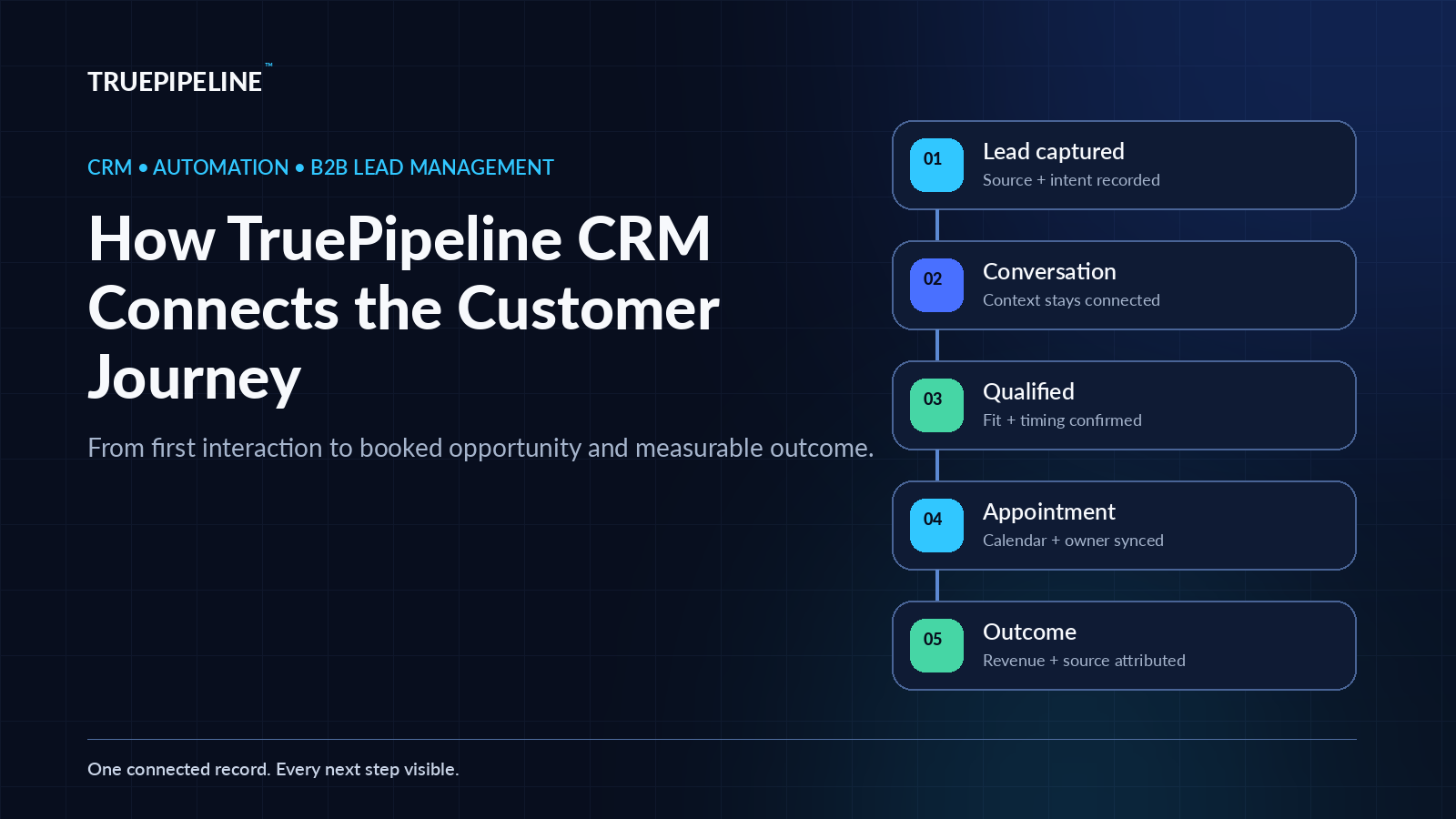
In practical terms, a connected customer journey means:
- the original lead source is recorded when the contact enters the system;
- messages, calls, notes and qualification details stay attached to the same record;
- automation reacts to the lead’s current stage and behavior;
- booking, ownership and follow-up can update together; and
- pipeline outcomes can be reviewed with the acquisition context still intact.
For service businesses, this is the difference between having a database of contacts and having an operational CRM. A database tells you who a lead is. A connected system also helps the team understand where the lead came from, what has happened, who owns the next step, and what should happen next.
What does it mean to connect the customer journey?
The customer journey is not one action. It is a sequence of changing states. A prospect may discover a company through a paid campaign, submit a form, reply to a text message, speak with an AI or human representative, qualify for a service, book an appointment, reschedule, receive a proposal and eventually become a customer.
If every stage uses a different tool, context can disappear during the handoff. The marketing source may not make it into the CRM. A salesperson may not see the original conversation. A booking may sit on a calendar without updating the opportunity. Reporting may then require someone to reconstruct the story manually.
TruePipeline CRM is designed around the opposite model: one structured record that remains connected while the customer moves through acquisition, conversation, qualification, booking and pipeline progression.
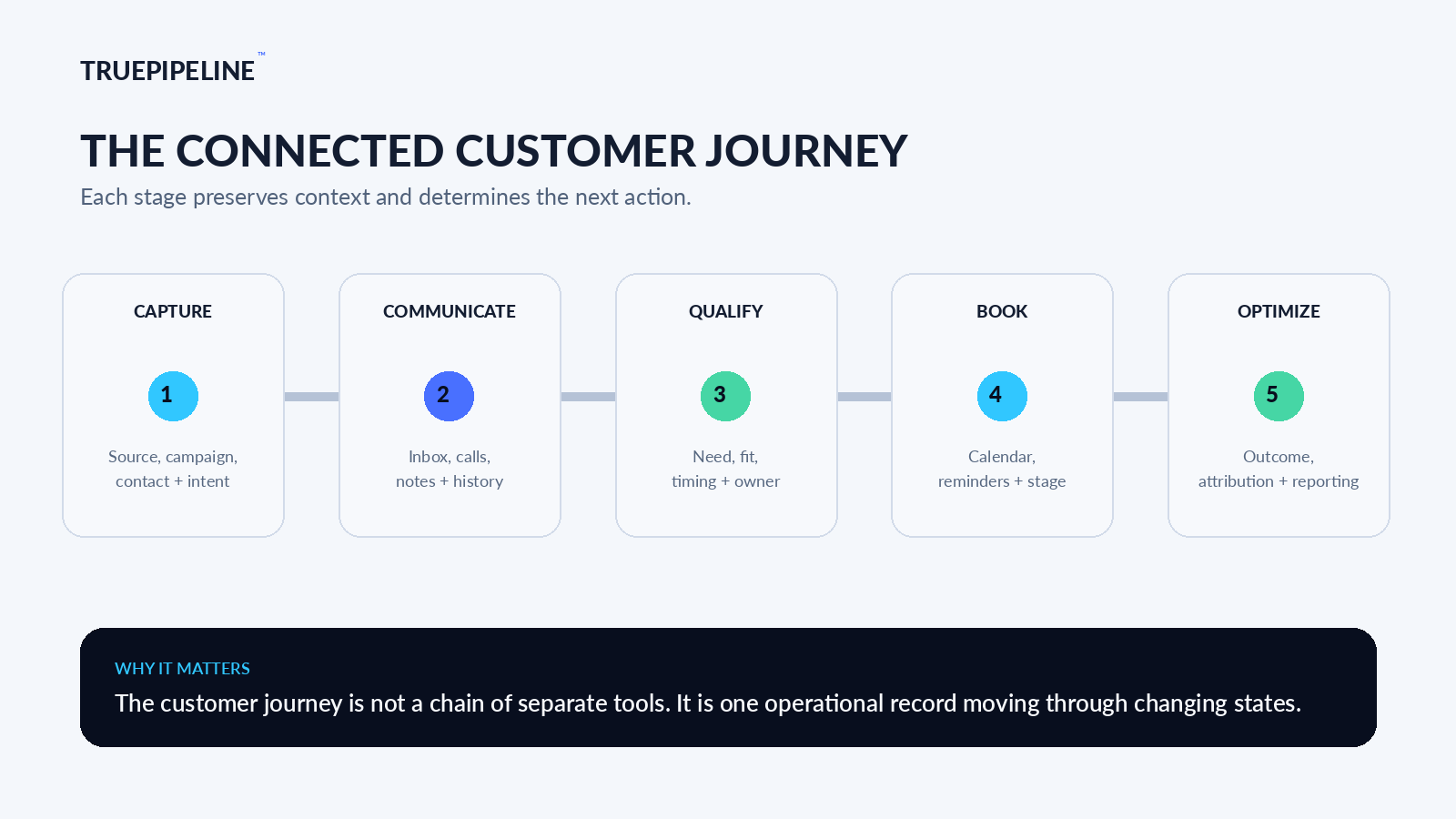
The journey changes state, but the customer context remains connected.
The five stages of a connected TruePipeline customer journey
01
Capture the lead with source and intent
The journey begins when a prospect enters through a website, landing page, form, call, campaign, QR code or another connected source. The useful part is not merely creating a contact. The system can also preserve acquisition context such as source, campaign, service interest and other routing information.
02
Keep the conversation attached to the record
Once the lead exists, communication should add context instead of creating another silo. Email, SMS, calls, notes, team activity and supported conversational handoffs can remain associated with the same customer timeline. That gives the next person or workflow a clearer picture of what already happened.
03
Qualify the opportunity using real customer context
Qualification turns a new inquiry into an actionable opportunity. Depending on the business, that can include service fit, location, urgency, timing, budget, decision-making authority or another practical criterion. The purpose is to determine the appropriate next action rather than simply apply a generic label.
04
Move from qualification to booking and ownership
When a lead is ready, calendars, routing rules, reminders, team assignments and pipeline stages can work together. A booked appointment should not become a disconnected calendar event. It should remain part of the opportunity record so the team can see who is responsible and what needs to happen before and after the meeting.
05
Connect the outcome back to the original source
The customer journey is only fully useful when the business can evaluate the result. Pipeline progression, opportunity value, wins and recorded revenue can be reviewed alongside the original acquisition source and the activity that happened in between. That creates a better foundation for operational reporting and optimization.
TruePipeline’s four operating layers
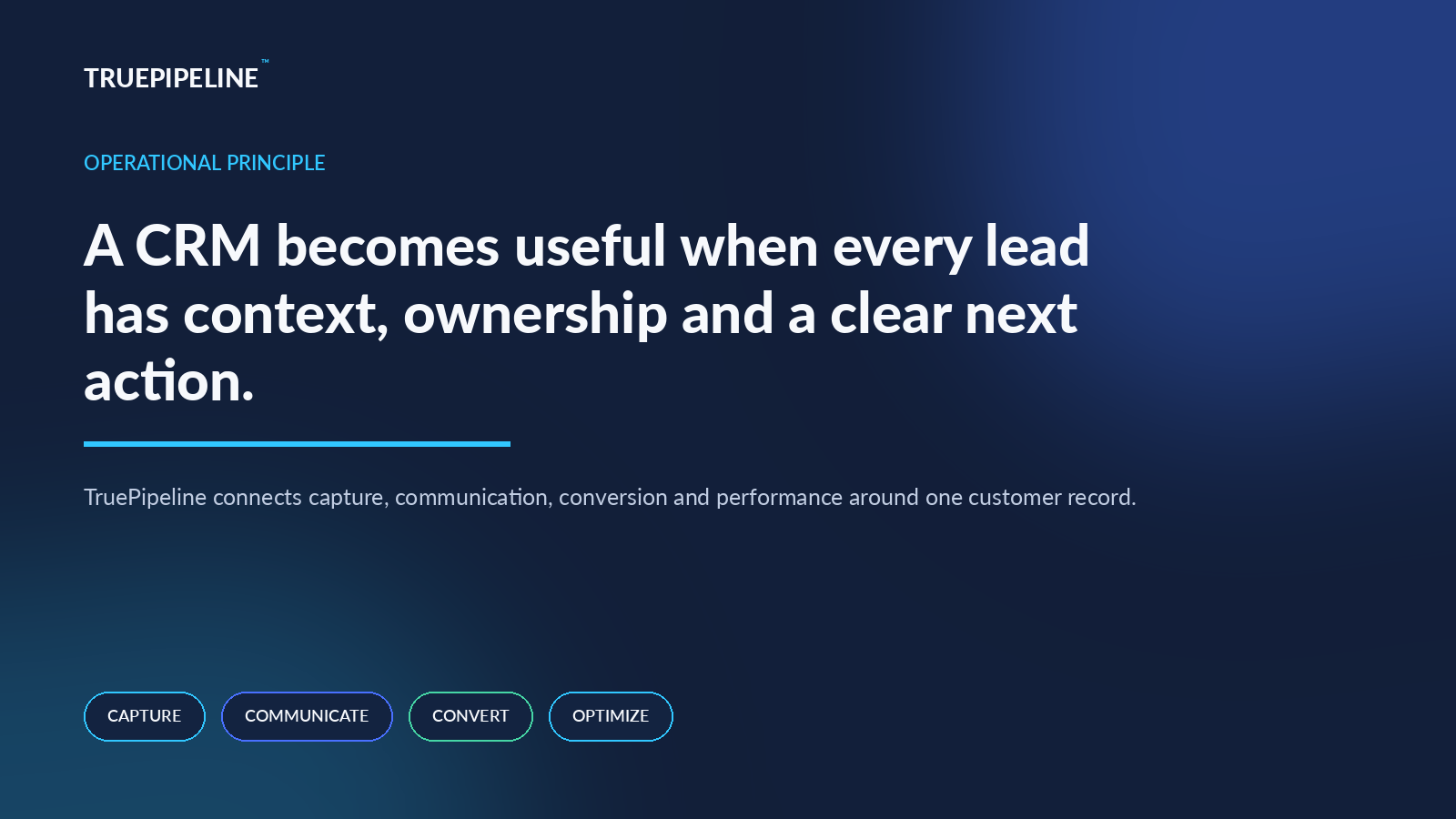
The platform groups this journey into four operating layers: Capture, Communicate, Convert and Optimize. These layers are useful because they describe outcomes rather than isolated software features.
| Operating layer | Primary job | Examples of connected activity |
|---|---|---|
| Capture | Turn attention into structured customer data. | Forms, landing pages, calls, campaigns, source tracking and contact details. |
| Communicate | Preserve customer context across conversations. | Email, SMS, calls, inbox history, notes, ownership and TRUEDY™ handoff. |
| Convert | Trigger the correct next action. | Lead routing, workflows, calendars, reminders, tasks and opportunity stages. |
| Optimize | Understand which activity produces business outcomes. | Source attribution, pipeline reporting, forecasting and conversion performance. |
Why disconnected systems create friction
A service business can have good tools and still have a weak lead management process. The problem often appears between systems rather than inside them.
For example, a form can generate leads correctly while the CRM receives incomplete source data. A calendar can book appointments while the sales pipeline remains unchanged. A messaging platform can store useful conversations while the assigned salesperson works from a different record. Each tool may be functioning, yet the overall customer journey is fragmented.
That fragmentation creates three common operational costs:
- Lost context: the person handling the lead has to rediscover information the customer already provided.
- Manual coordination: team members become responsible for copying data, changing stages and notifying one another.
- Weak attribution: the business has difficulty connecting marketing activity to qualified opportunities and revenue outcomes.
How TruePipeline automation fits into the journey
Automation is most useful when it responds to context. A new form submission should not necessarily receive the same workflow as an existing opportunity that just replied, booked a meeting or moved into a new pipeline stage.
Within TruePipeline, workflows can be configured around signals such as lead source, service need, reply behavior, booking status, pipeline stage, timing and team ownership. That allows automation to support the process without turning every lead into the same rigid sequence.
A workflow might acknowledge a new inquiry immediately, assign an owner, create a follow-up task, send a booking link, stop outreach when the customer replies, update the opportunity when an appointment is booked, and trigger a different sequence after the meeting. The exact logic depends on the business process being implemented.
A simple example: from Google Ads lead to booked strategy call
Consider a service business receiving a new inquiry from a Google Ads campaign.
- The contact enters TruePipeline with the source and campaign attached.
- An acknowledgment is triggered while the new opportunity is assigned to the appropriate owner.
- The prospect replies with more detail about the service they need.
- The conversation is stored on the same customer record and qualification fields are updated.
- The qualified prospect selects a time on the appropriate calendar.
- The appointment, opportunity stage and reminders update around the booking.
- After the sales process, the recorded outcome remains connected to the original acquisition source.
The value is not any single automation in that sequence. The value is that the system can keep the acquisition data, conversation history, qualification, booking and pipeline outcome connected instead of asking the team to rebuild that context manually.
Where TRUEDY™ fits into the customer journey
TRUEDY™ can add a conversational layer to the process. It can engage a prospect, understand the request, gather relevant information and help determine the appropriate next step. TruePipeline then acts as the operational system that preserves that context, updates the customer record and triggers the relevant workflow, owner, calendar or pipeline action.
TRUEDY™ is not required for every TruePipeline configuration. The CRM and automation platform can operate without it. When the two are used together, the goal is to reduce the gap between a live conversation and the operational actions that should follow it.
What should a service business define before automating its customer journey?
Technology cannot create a clear process if the business has not defined one. Before building workflows, a service business should be able to answer several operational questions:
- What counts as a new lead?
- Which information determines whether the lead is qualified?
- Who should own each type of inquiry?
- When should the system send an automatic message versus create a human task?
- What event moves an opportunity from one pipeline stage to another?
- What should happen when someone books, cancels, reschedules or stops responding?
- Which outcome should be recorded at the end of the process?
TruePipeline is configured around those business rules. The objective is not to force every company into the same funnel. It is to make the company’s actual customer journey visible, repeatable and easier to manage.
Frequently asked questions
Is TruePipeline simply a contact database?
No. TruePipeline includes CRM contact management, but it is designed to connect the record with communication, automation, calendars, opportunity stages and performance visibility. The operational value comes from what the system can do with the record after a lead is created.
Can TruePipeline receive leads from an existing website?
Yes. TruePipeline can be configured to receive leads from websites, forms, landing pages, campaigns, calls and other compatible acquisition sources. The connection method depends on the existing technology and implementation requirements.
How does TruePipeline help with B2B lead management?
It can centralize the lead record, preserve conversation and source context, route inquiries, automate follow-up, manage appointments and track opportunity stages. That gives teams a more structured process for moving relevant contacts toward a defined sales outcome.
Can TruePipeline support different services, teams or locations?
Yes. Pipelines, stages, routing rules, calendars, workflows and permissions can be configured around multiple services, teams or locations while maintaining consolidated visibility.
What happens after an appointment is booked?
The booking can trigger confirmations, reminders, tasks, owner notifications and pipeline updates according to the workflow that has been configured. The goal is to keep the appointment connected to the same opportunity record rather than treat it as a separate event.
One pipeline. Every next step connected.
If your leads, conversations, appointments and reporting are spread across disconnected tools, TruePipeline can be configured around the way your business actually converts.